FOR YOUR FIRST CHILDREN’S BOOK

Everything you need to self-publish your children’s book.

Your story deserves to be a real book. Let’s make the printing, templates and “what do I do next?” bits feel a whole lot simpler.

Get the whole toolkit US$25

One-time purchase · Digital download + online access

Take a look inside ↓
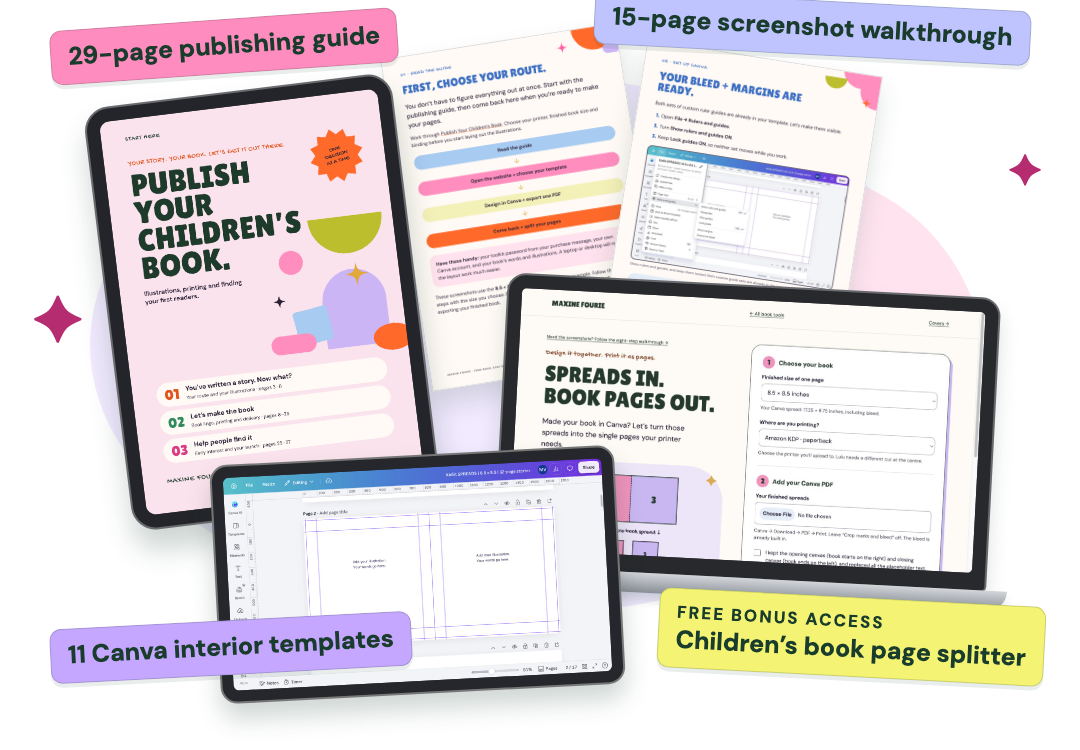
The actual toolkit: 29-page publishing guide on a tablet, 15-page screenshot walkthrough, 11 Canva templates and bonus children's book page splitter on a laptop

Cover templates + ISBN barcode tool included

Real pages and tools from your bundle. Digital products; devices not included.
Made by a children’s book illustrator and formatter4+ years of experience16+ books worked on

You’ve got the story. Now there are a lot of tabs open.

Which printer? What size?
And who actually sends the books?

These are normal first-book questions. You don’t need to understand all the printing words before you start. I’ve put the explanations, examples and setup tools together so you can work through one decision at a time.

HERE’S WHAT YOUR $25 GETS YOU

The answers. The templates.
The steps to follow.

Open the part you need, then put it to work on your own book.

01 / UNDERSTAND YOUR OPTIONS

The 29-page publishing guide

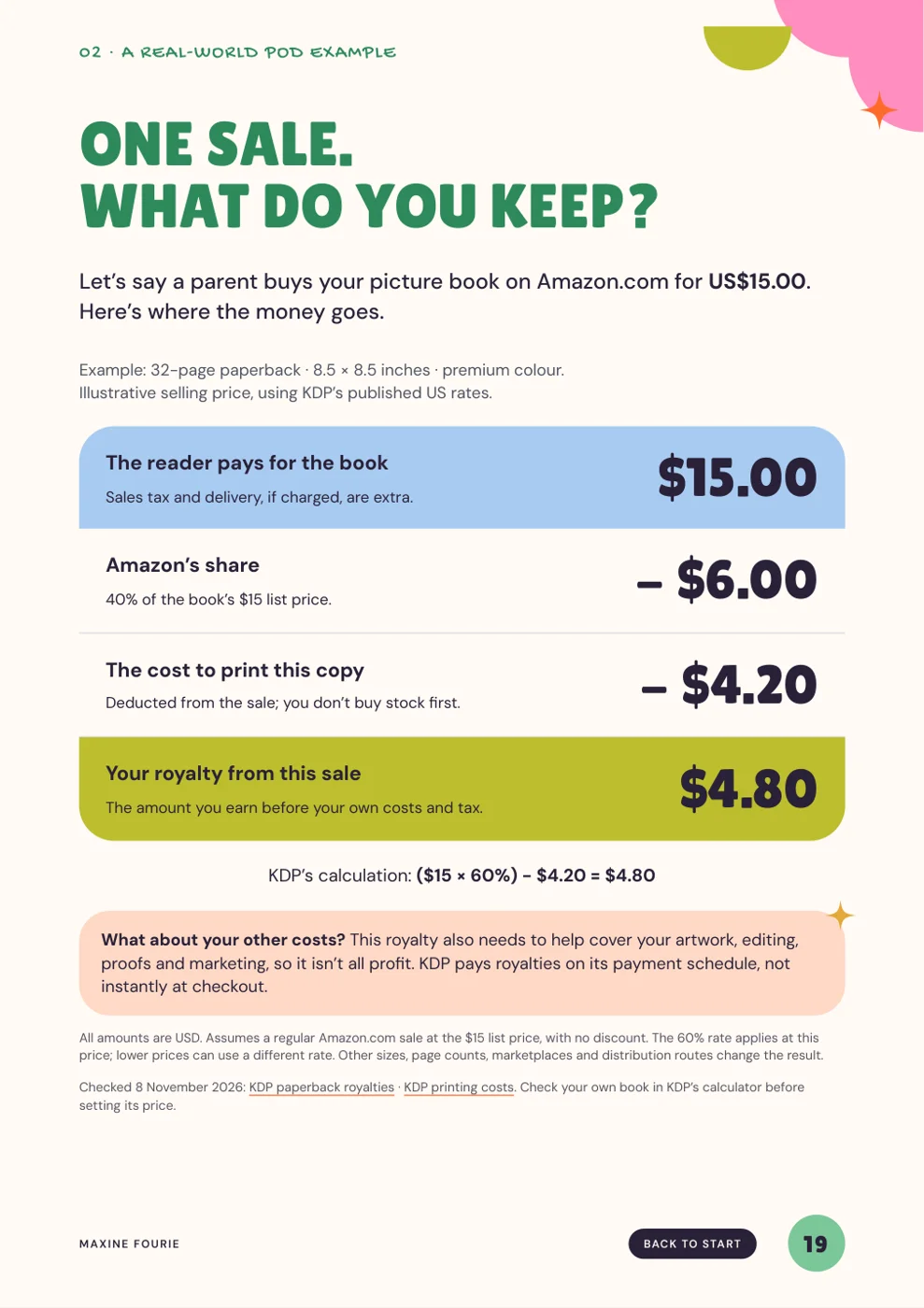
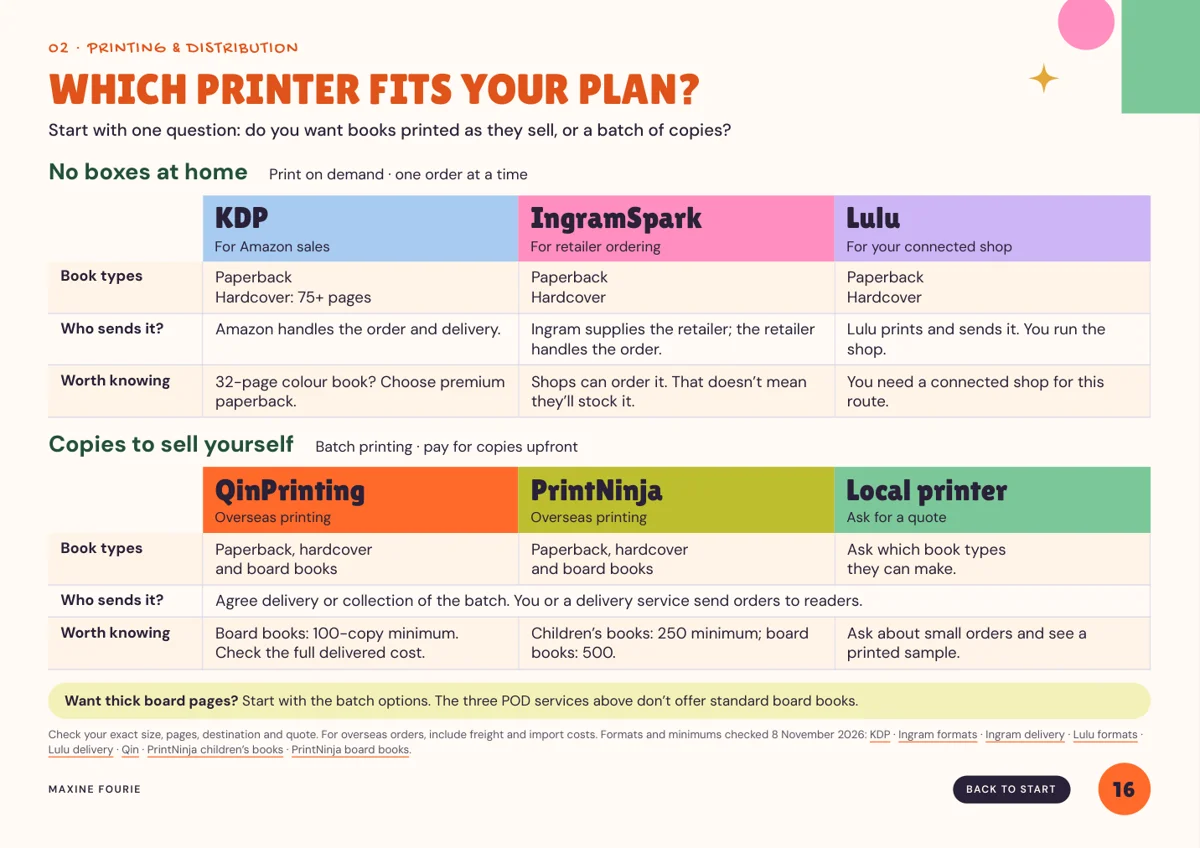
Compare KDP, IngramSpark, Lulu and offshore printing. See how print on demand works, who delivers the book and what you keep from a sale.

Also inside: illustrators, book sizes, bleed, page order, ISBNs and where to get them, email lists, beta readers and pre-orders.

The guide's side-by-side printer comparisonAn example showing a book's retail price, printing costs and author's share

02 / SKIP THE BLANK PAGE

11 Canva interior templates

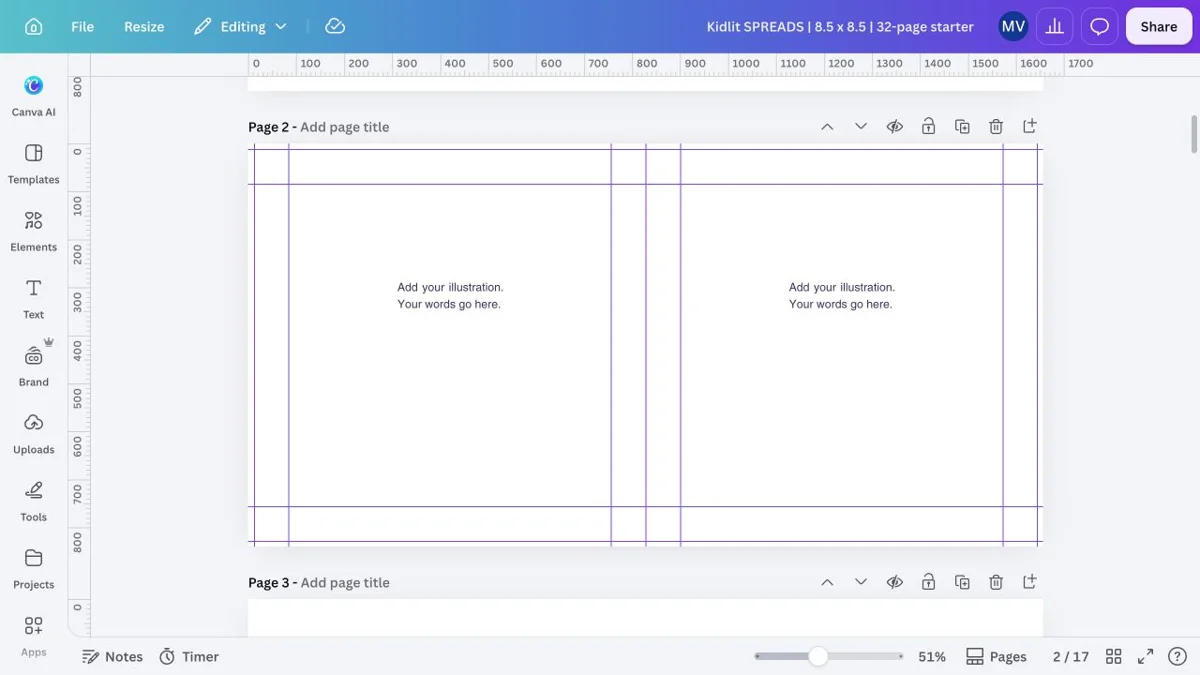
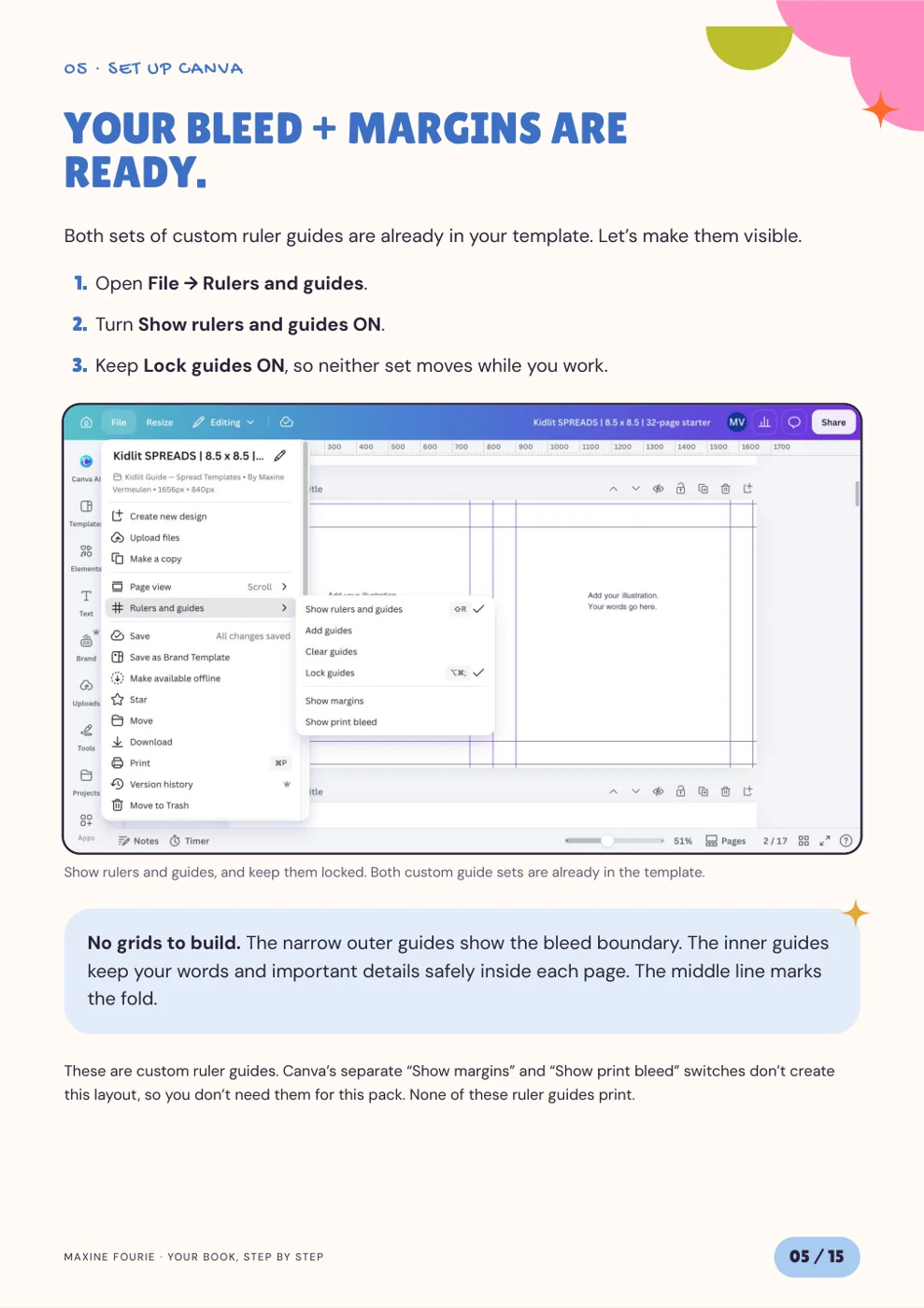
Choose a square, portrait or landscape size. Bleed and safety guides are already set up, ready for your words and illustrations.

Selected KDP, IngramSpark and Lulu routes. Each size lists its supported printers.

An actual Canva spread template with bleed and safety guides

03 / FOLLOW ALONG

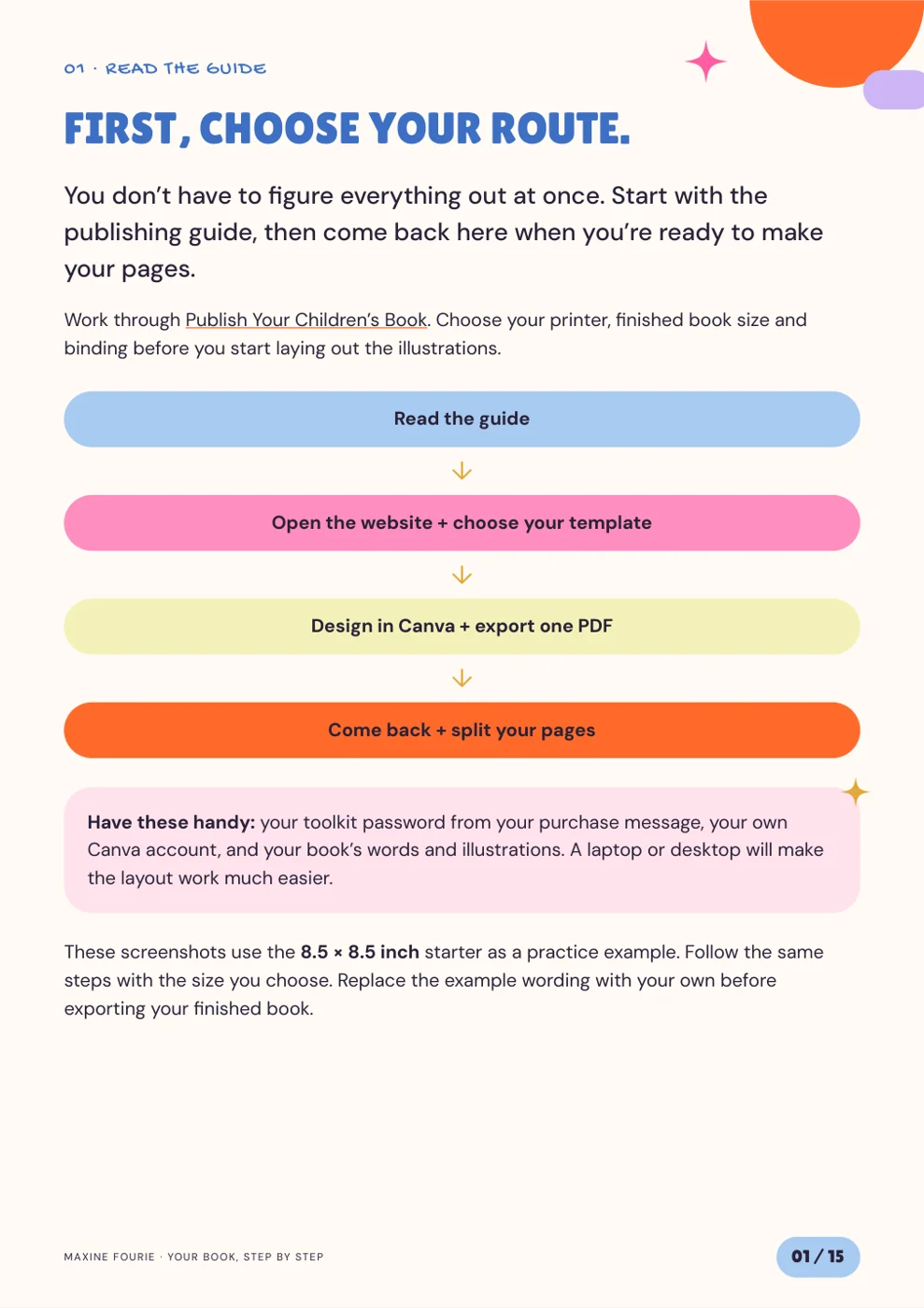
The 15-page screenshot walkthrough

“Where do I click?” I’ll show you. Follow the screenshots to open a template, set up Canva, export your PDF and split the pages.

Plus clear fixes for common upload warnings, so you know what to try next.

The how-to guide showing the workflowScreenshots showing Canva guide setup

04 / FREE BONUS ACCESS

My children’s book page splitter

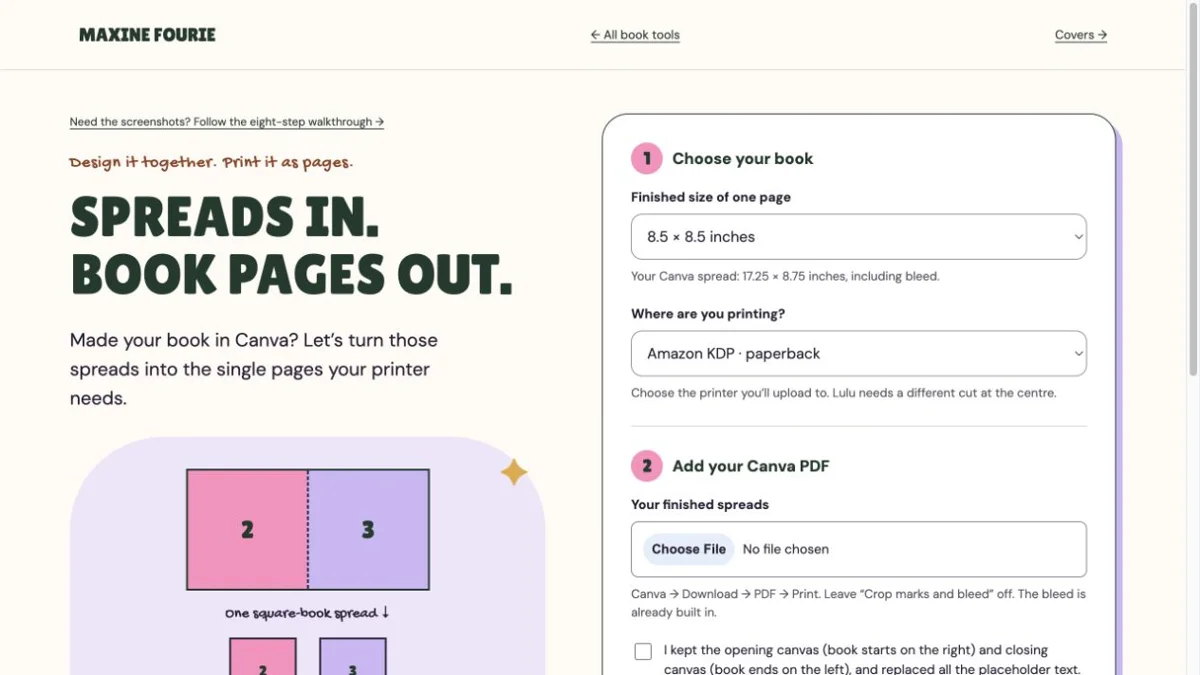
Design your book as spreads in Canva, then turn them into the individual pages your printer needs. Choose your size and printer, add the PDF and download your pages.

Your PDF stays on your device. Your cover stays in one separate file.

The actual page splitter with book size and printer selection

05 / GIVE YOUR COVER ITS OWN FILE

The paperback cover pack

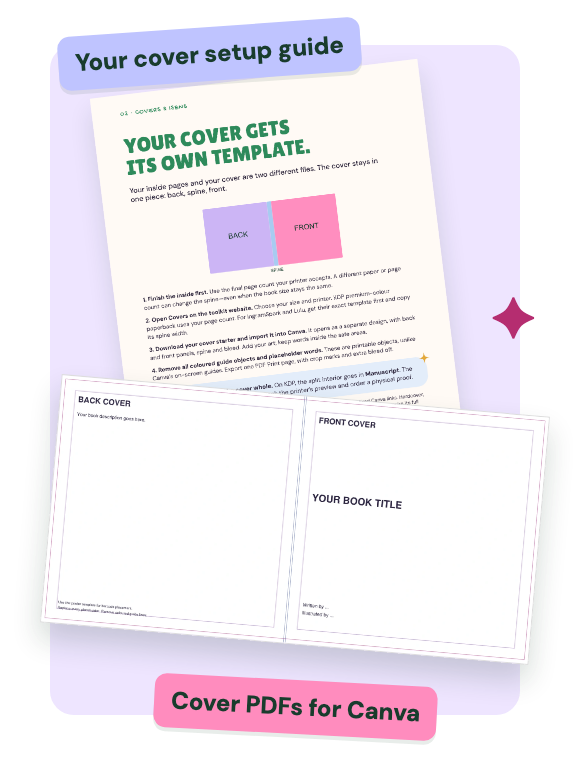
Make a cover starter for any of the 11 toolkit sizes, using your book’s page count or spine width. Import the PDF into Canva and make it yours.

Includes an offline maker, eight ready-made 32-page KDP premium-colour cover PDFs and an online cover-size check. These are Canva-importable PDFs, separate from the interior template links.

Layered previews of the cover setup guide and Canva-importable square-book cover template

06 / SORT OUT YOUR ISBN

ISBN help + barcode generator

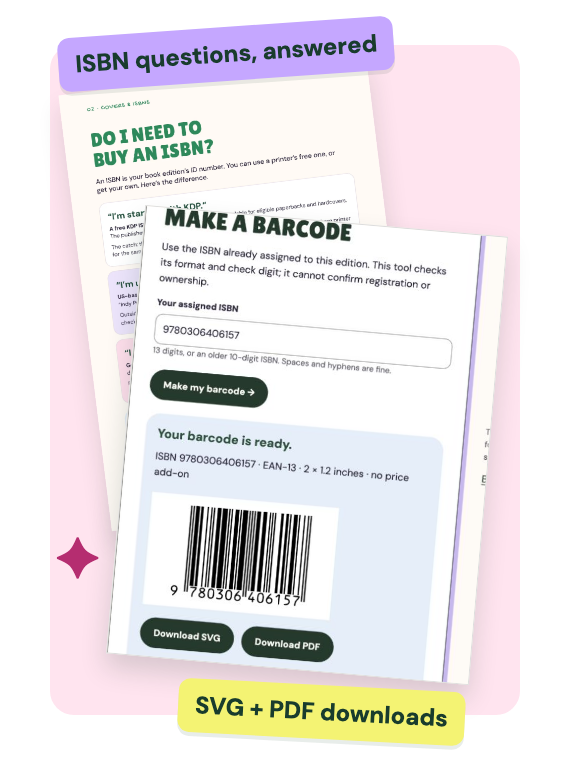
Should you take the free ISBN or get your own? The guide explains the trade-offs, where to apply and what it costs—including free national-agency options.

Already have an ISBN? Turn it into an SVG or PDF barcode with the website tool. It makes the barcode artwork; it doesn’t issue or register the number.

ISBN guide and the actual barcode tool, including SVG and PDF downloads

Split the story. Keep the cover whole. Your interior becomes individual pages in one PDF. Your back cover, spine and front cover stay together in a separate PDF. Hardcover, offshore and special-format covers use the printer’s exact template.

FROM “WHERE DO I START?” TO YOUR NEXT STEP

Here’s how you’ll use it.

  1. 1

    Get your bearings.

    Use the guide to choose your printing route, book size and binding before you lay out the artwork.

  2. 2

    Make it yours.

    Open your own Canva template copy. Add your story and illustrations, with the screenshots beside you.

  3. 3

    Prepare your upload.

    Export, split the inside pages and prepare your cover separately. Check the printer preview and order a physical proof.

Get the toolkit US$25

Your download includes the guides and website access instructions.

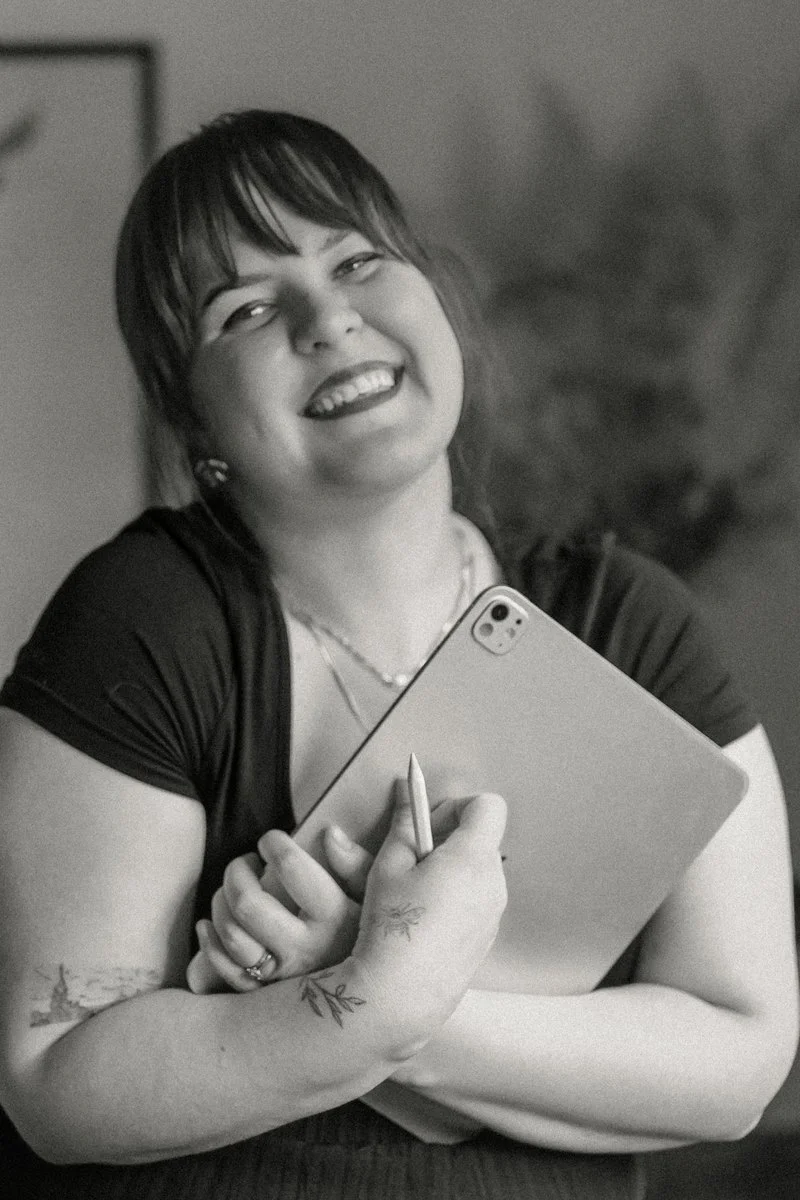
Maxine Fourie, children's book illustrator

Hi, I’m Maxine.

I’ve worked on 16+ books.
This is for your first one.

I’ve been illustrating children’s books since early 2022. The same questions come up with authors again and again: which printer, what size, how do the files work, and what happens once the book is ready?

I made this toolkit to put those answers in one place, with templates and tools you can use alongside the guide. You can start while your illustrations are still in progress.

See the books I’ve worked on ↗

A FEW THINGS YOU MIGHT BE WONDERING

Before you jump in.

Is this for someone who has never published a book?

Yes—that’s exactly who I made it for. It explains the book and printing terms as you go. You can use it while you’re choosing an illustrator, working on the artwork or getting ready to lay out your pages.

Do I need a publisher or a pile of books at home?

You can choose to self-publish without submitting to a traditional publisher. Print on demand lets a book be printed when an order comes in, with delivery handled through the chosen service. The guide explains how that differs from ordering a batch yourself.

Which Canva template sizes are included?

Square: 8.5 × 8.5, 8 × 8, 8.25 × 8.25 and 6.5 × 6.5 inches.
Portrait: 8 × 10, 7 × 10, 8.5 × 11, 6 × 9 and 5.5 × 8.5 inches.
Landscape: 8.25 × 6 and 11 × 8.5 inches.

These are finished page sizes. The templates include bleed and safety guides. Not every printer supports every size; the toolkit shows the available routes. Cover templates are included as separate Canva-importable PDFs.

Do I need Canva Pro or special software?

You need your own Canva account and your own words and artwork. Some Canva export options depend on your plan, so follow the requirements for your chosen printer. Use a laptop or desktop for the layout work. The page splitter runs in your browser.

Want to try Pro? See Canva’s official free-trial offer. Canva confirms eligibility, trial length and renewal price at sign-up. It renews into a paid plan unless you cancel in time; the subscription is separate from this toolkit.

Are cover templates and ISBNs included?

The paperback cover pack and barcode generator are included. Choose your cover size, then use your final page count or the spine measurement from your printer. The eight fixed cover PDFs are specifically for 32-page KDP premium-colour paperbacks. Hardcover and offshore covers need your printer’s own template.

An ISBN itself isn’t supplied with this toolkit. The guide shows where to get one and compares free printer ISBNs with your own. The barcode tool turns your assigned ISBN into artwork for the back cover.

Is the splitter really included?

Yes. Access is a free bonus with your US$25 toolkit purchase. Your download explains how to access the tools on this website. There’s no separate splitter charge.

Will the tools make my book print-ready automatically?

They help you set up dimensions and turn spreads into pages. You’ll still need to check your artwork quality, colour, page order and printer’s requirements. Always check the upload preview and order a physical proof before selling your book.

What happens after I buy?

Complete checkout through Payhip, then download your files. Start with the welcome instructions: they point you to the guides, Canva templates and online tools. This is a digital toolkit; it doesn’t include printed books, illustration services or printing costs.
YOUR STORY DESERVES TO BE A REAL BOOK.

Let’s get your
book moving.

The publishing guide, 11 Canva interior templates, cover pack, screenshot walkthrough, ISBN help and online tools—all together.

$25 USD

One purchase. Your next steps in one place.

Yes, I want the toolkit

Digital download + online access · Checkout with Payhip